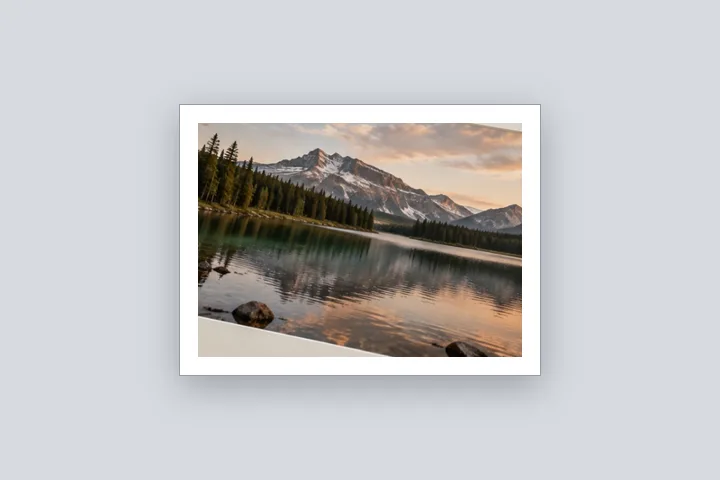
What this page sets up for you
Canvas fixed: the output keeps the photo's own pixel size, and the photo is scaled down to make room for a 4 % white border.
Opens on Inside: the file stays the size you opened, with a 4 % white border drawn within it and the photo reduced to fit. The scale is in the receipt.
Any photo. The output has exactly its pixel size.
The construction this opening uses
Every border has to come from somewhere. Outside, the file grows; inside, the photo shrinks. This opening holds the canvas fixed at the size of the file you opened and draws a white border four per cent of the long edge wide inside it, scaling the photo down — evenly, so it keeps its proportions — into the space that is left.
On a 4000 × 3000 photo a 4 % border is 160 px a side, leaving a 3680 × 2680 box. The photo fits that box at 89.3 % and is drawn 3573 × 2680, centred, so the side borders come out a little wider than 160 px. The output is 4000 × 3000, exactly what you opened; the edge table shows each side as asked and as drawn.
| Photo and output | Photo drawn at | Scale |
|---|---|---|
| 4000 × 3000 | 3573 × 2680 | 89.3 % |
| 1080 × 1350 | 972 × 1215 | 90.0 % |
Where the treatment stops working
Inside mode always resamples the photo, so it is the wrong choice when every original pixel matters — use Outside then. Because the photo keeps its proportions inside a box with fixed margins, two opposite borders can come out wider than asked on a photo whose shape differs from the box; the edge table shows it.
- The photo is resampled once with high-quality smoothing; the scale is stated.
- Borders on the short axis may come out wider than asked so the photo is not stretched.
The opening values are a starting construction, not a filter baked into the page. Every width, colour, unit and mode remains editable after the photograph opens, and the output readout states the dimensions before export. That makes the result reproducible instead of leaving its proportions hidden inside a decorative preset.
Questions
Why does the photo get smaller?
Because the file keeps its size. A border needs space, and if the width and height cannot grow, the photo must shrink inside them. This page scales it down evenly — never stretches it — and states the scale, so you can see what was given up.
When would I want the border inside rather than outside?
When something downstream insists on a pixel size: an upload portal that accepts exactly the dimensions your camera produced, a template slot, a print order already placed at a size. Outside (the default on the home page) adds the border to the file and makes it larger.
Does scaling down lose quality?
A little detail, in proportion to how much the photo shrinks: a 4 % border on each side scales a photo to about 92 %. The receipt states the exact figure. Detail lost this way is not visible at normal viewing size; the photo is resampled once, with high-quality smoothing.
What if I ask for a border wider than the photo can give?
The width is reduced to the largest that leaves at least a sliver of photo, and the page says what that ceiling is, in your unit.
Same studio, other openings
- Border Photo Add a border to any photo in px, %, mm or inches, measured and processed on your device.
- Add a white border to a photo Pure or paper white, even or weighted, with the saved file checked for banding.
- Film border A narrow uneven black inset, without a fake stock rebate.
- Print border in millimetres Millimetres first, with the resolution they are measured against on show.
- Border widths in millimetres Why the same 5 mm is 59 pixels in one file and 14 in another.


