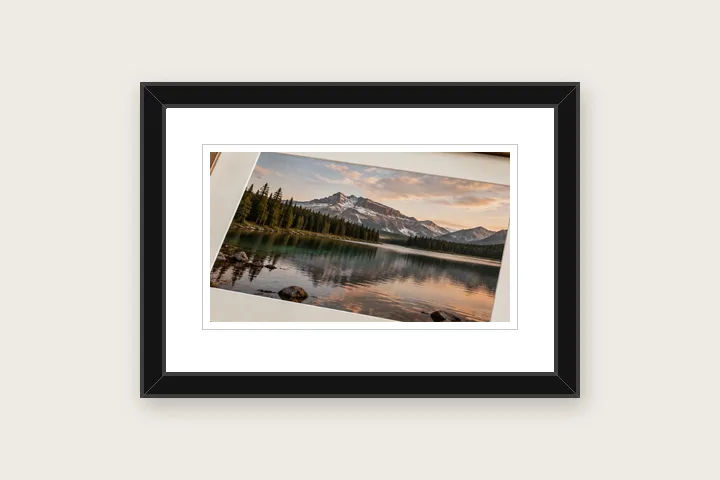

What this page sets up for you
Photo pixels fixed: a white mat with a keyline inside a black gallery frame band, every part a number you can change.
Opens on a white mat (8 % of the long edge, base 1.1×), a grey keyline and a black gallery band. The band, stripes and mitre lines are under Mat.
Any photo. The mat and band go outside it, so nothing is cut away.
How to do it
- Open the photo. It opens inside a white mat and a black frame band, decoded in this tab only.
- Pick a frame. Under Mat choose Black gallery, White gallery, Natural oak, Gold line, Silver line or Thin metal, or set each stripe's colour.
- Size the mat and band. Drag a caliper for the mat width; type the band width; weight the base if you want a classic mount.
- Export. Save as PNG, JPG or WebP. The receipt lists the canvas, the photo area and the band.
The construction this opening uses
A framed print is three measured layers: the photograph, the mat around it, and the moulding around the mat. This opening builds all three from numbers. The mat is a grow-mode border with a slightly heavier base and a hairline keyline; the frame is a band drawn at the outer edge of the canvas as concentric stripes, with thin mitre lines from each outer corner to the inner one so the corners read as joints.
On a 4000 × 3000 photograph the mat is 320 pixels at the sides and top and 352 at the base, the band adds 120 pixels outside it, and the file comes out at 4880 × 3912. Every one of those figures is in the receipt, and every one changes with a typed value.
| Preset | Stripes | Mitre lines |
|---|---|---|
| Black gallery | dark edge, black face, dark lip | yes |
| White gallery | grey edge, white face, grey lip | yes |
| Natural oak | dark edge, oak face, mid-oak lip | yes |
| Gold line | black, thin gold line, black | yes |
| Silver line | charcoal, thin silver line, charcoal | yes |
| Thin metal | three greys | no |
Where the treatment stops working
A drawn band is a convincing frame at screen size and in a print viewed at arm's length; it is not a photograph of moulding, so it has no grain, no bevel lighting and no depth. When the result has to look like a physical object photographed on a wall, this is the wrong tool; when it has to look like a clean framed print at an exact size, it is the right one.
- No textures, carved profiles or ornate corner pieces — the band is flat colour by design.
- One frame band per image; a double mat with a coloured reveal is not offered yet.
The opening values are a starting construction, not a filter baked into the page. Every width, colour, unit and mode remains editable after the photograph opens, and the output readout states the dimensions before export. That makes the result reproducible instead of leaving its proportions hidden inside a decorative preset.
Questions
What is the difference between a border and a frame here?
The border is the mat: the flat space between the photograph and the frame. The frame band is an outer band drawn as up to four concentric stripes with optional mitre lines at the corners, so it reads as a moulding. Both are measured in the same unit, and the receipt lists the mat widths and the band separately.
Can I change the frame colour?
Yes. Every stripe of the band has its own colour field, with an eyedropper that can take a colour from the photo. The six presets — Black gallery, White gallery, Natural oak, Gold line, Silver line and Thin metal — only set those colours and proportions; nothing is a picture of a real frame.
Does the frame make the photo smaller?
Not in the default mode. With photo pixels fixed, the mat and band are added outside the photograph and the canvas grows by twice their widths. If you switch to Canvas fixed or Exact size, the band is drawn inside the fixed canvas and the photograph is scaled down to make room, and the receipt states the scale.
Is there wood grain or gold leaf?
No. The band is flat colour by design: a texture is a photograph of someone else's frame, and it would print at whatever resolution that texture happened to have. Natural oak is a warm flat brown with a darker edge stripe.
What size should I export for printing?
Switch the unit to millimetres and set the resolution the print will use (300 PPI for most labs). The mat and band widths then convert to pixels, the receipt shows the finished size in millimetres, and the nearest standard sheet is named with how far off it is.
Same studio, other openings
- Photo mat border A gallery surround measured in millimetres against print resolution.
- Add a white border to a photo Pure or paper white, even or weighted, with the saved file checked for banding.
- Polaroid frame A clean white frame with a measured writing margin below.
- Print border in millimetres Millimetres first, with the resolution they are measured against on show.
- Gallery mat proportions for photographs Choose optical mat widths and bottom weighting from the print size rather than a fixed decorative frame.
- Plain or decorative Where measured space stops and pattern begins.


