What this page sets up for you
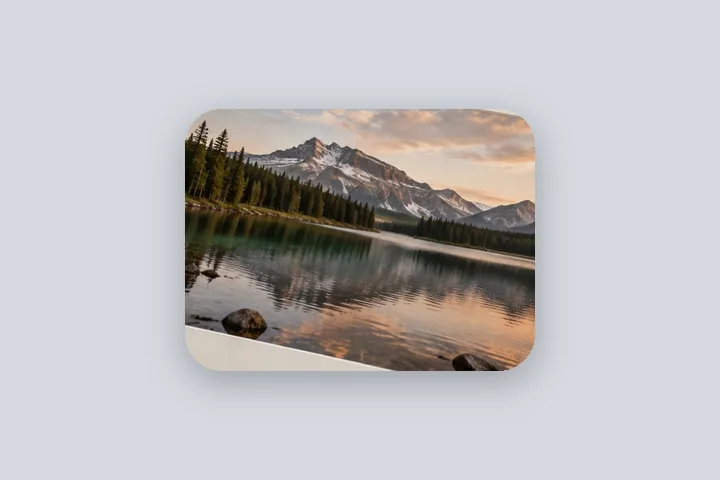
Photo pixels fixed: the photo's own corners rounded at 4 % of its long edge, transparent outside them in PNG.
Opens with no border, a 4 % photo corner radius and a transparent outside. Both radii are under Corners; save as PNG to keep the corners clear.
Any photo. Its corners are rounded; nothing else is cut.
The construction this opening uses
A rounded corner is a cut along a quarter circle, and its radius has to be stated against something or it looks different on every photo. This opening uses four per cent of the long edge, adds no border and leaves the outside transparent, so the result is the photo with soft corners and nothing else.
On a 4000 × 3000 photo a 4 % radius is 160 px; on 3024 × 4032 it is 161 px; on 1080 × 1080 it is 43 px. Any radius past half the short side is held there, which is what makes a square into a circle rather than a knot. The file keeps the photo's own pixel size.
| Photo | Radius | Output |
|---|---|---|
| 4000 × 3000 | 160 px | 4000 × 3000 |
| 3024 × 4032 | 161 px | 3024 × 4032 |
| 1080 × 1080 | 43 px | 1080 × 1080 |
Where the treatment stops working
Rounded corners remove the corner pixels of the photo. Anything important within one radius of a corner — a signature, a date stamp — is cut. All four corners share one radius; a ticket shape with different corners is not offered. And a format without transparency, JPG, fills the corners with white.
- One radius for all four corners of the photo, and one for the canvas.
- JPG cannot keep transparent corners; they are written as white.
The opening values are a starting construction, not a filter baked into the page. Every width, colour, unit and mode remains editable after the photograph opens, and the output readout states the dimensions before export. That makes the result reproducible instead of leaving its proportions hidden inside a decorative preset.
Questions
What units is the corner radius in?
The same unit as the border widths: px, percent of the photo's long edge, mm or inches. This opening uses 4 % of the long edge, which is 160 px on a 4000-pixel photo and 43 px on a 1080-pixel one, so it looks the same on both.
Why are the corners white in my JPG?
Outside a rounded corner there is nothing, and JPG cannot store nothing: every pixel must have a colour, so the corners are written as white. Save as PNG or WebP to keep them transparent, or add a border and the corners are filled with the border colour instead.
What is the difference between the photo radius and the canvas radius?
The photo radius rounds the photograph itself, inside its border. The canvas radius rounds the outside of the finished file, border included. With no border the two do the same thing; with a border you can round either, both or neither — a rounded photo on a square card, or a square photo on a rounded card.
Can I make the photo a circle?
Set the photo radius to half its short side or more: the radius is held at half the short side, which turns a square photo into a circle and any other shape into a pill. For a round profile picture use the WhatsApp DP route, which keeps a square file that the app shows round.
Same studio, other openings
- Add a shadow to a photo A drop shadow cast onto the border, every length a number.
- WhatsApp DP without cropping The full photo in a 640 × 640 square, with the round crop shown.
- Photo outline maker A measured outline round the photo's edge, or round the person with an optional local model.
- Add a white border to a photo Pure or paper white, even or weighted, with the saved file checked for banding.
- Border Photo Add a border to any photo in px, %, mm or inches, measured and processed on your device.


