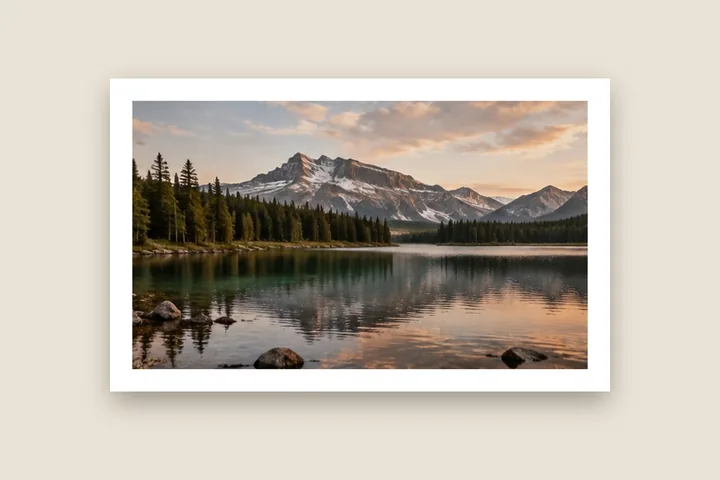
What this page sets up for you
Photo pixels fixed: an even pure-white border outside the photo, 5 % of its long edge, every pixel kept.
Opens on an even pure-white border at 5 % of the long edge. Paper white is one tap under Fill; JPG exports are read back and checked for banding.
Any photo. The white goes outside it, so nothing is cut away.
How to do it
- Open the photo. Drop it on the page or choose it. It is decoded in this tab and never uploaded.
- Set the width. Drag a caliper on the picture or type a figure; the unit can be px, %, mm or inches.
- Choose the white. Under Fill pick White for pure 255 or Paper for a warmer mat white.
- Export and read the check. Save as PNG for an exact border, or JPG/WebP and read the banding check under the export button.
The construction this opening uses
A white border is the simplest frame and the easiest to get subtly wrong. The width has to be stated against something — this opening uses five per cent of the photograph's long edge, so it lands the same on a phone screenshot and a 24-megapixel master — and the white has to survive the encoder. Grow mode adds the border outside the picture, so the photograph keeps its own pixel grid and the canvas gets larger.
At five per cent, a 4000 × 3000 photograph gains 200 pixels on every side and comes out at 4400 × 3400. A 1080-pixel phone picture gains 54. Switch the unit to millimetres and the figure is resolved against the resolution the file declares, with the pixel equivalent printed beside it.
| Photo | Border each side | Saved size |
|---|---|---|
| 4000 × 3000 | 200 px | 4400 × 3400 |
| 3024 × 4032 | 202 px | 3428 × 4436 |
| 1080 × 1350 | 68 px | 1216 × 1486 |
Where the treatment stops working
A white border cannot make a white feed show the edge of a photograph that is itself white at the edges; on a white app background the border and the page merge, and only a keyline or a paper-white tint separates them. A JPG cannot promise a perfectly flat white either, which is why the saved file is read back and measured rather than assumed.
- The banding check samples the top and left mat bands of the saved file; a caption or shadow in the lower border is not part of it.
- The border is added to the file only. A platform that crops or re-encodes the upload afterwards can change both the edge and the white.
The opening values are a starting construction, not a filter baked into the page. Every width, colour, unit and mode remains editable after the photograph opens, and the output readout states the dimensions before export. That makes the result reproducible instead of leaving its proportions hidden inside a decorative preset.
Questions
Pure white or paper white — which should I pick?
Pure white (255, 255, 255) is the brightest value a file can hold and matches a white web page exactly, so on a white feed the border can vanish into the background. Paper white (250, 249, 245) is a fraction warmer and darker; it reads as a deliberate mat on screen and is closer to what most photo papers actually look like. Both are one tap under Fill, and either can be changed to any colour.
Why does my white border look grey or blotchy after saving as JPG?
JPG compresses in 8 × 8 blocks, and a block that straddles the edge of a dark photograph and a white border can leave faint ripples in the white. After a JPG or WebP export this page decodes the saved file in your browser, samples the outer half of the top and left border, and tells you the largest difference from your chosen white in 0–255 levels. Two levels or fewer is invisible; more than that, raise the quality or save as PNG, which is exact.
How wide should a white border be?
For screens, 3–6 % of the photo's long edge reads as a clean frame; 8–10 % starts to look like a mat. This opening uses 5 %. For prints, switch the unit to millimetres: 5 mm survives most trimmers and 10 mm reads as deliberate. Every width is a number you can type, per side if you unlink them.
Can I make the bottom edge heavier, like a mounted print?
Yes. Leave the sides linked and set the lower edge weighting under Border — 1.15× is a classic mat, 1.8× gives the deep base of an instant print. The receipt shows the four widths as drawn in pixels.
Will adding a white border crop or shrink my photo?
Not in the default mode. Photo pixels fixed adds the border outside the photo, so every pixel is kept and the file gets larger. If the file must stay the same size, switch to Canvas fixed and the photo is scaled down to make room; if it must be 4:5 for a feed, switch to Fit ratio and pick 4:5.
Same studio, other openings
- Border Photo Add a border to any photo in px, %, mm or inches, measured and processed on your device.
- Square photo without cropping Bars added until a photograph is square, with nothing cut away.
- Instagram photo without cropping The whole photo in 1080 × 1350, 1080 × 1080 or a 1080 × 1920 story.
- Photo mat border A gallery surround measured in millimetres against print resolution.
- Polaroid frame A clean white frame with a measured writing margin below.
- Border widths in millimetres Why the same 5 mm is 59 pixels in one file and 14 in another.


