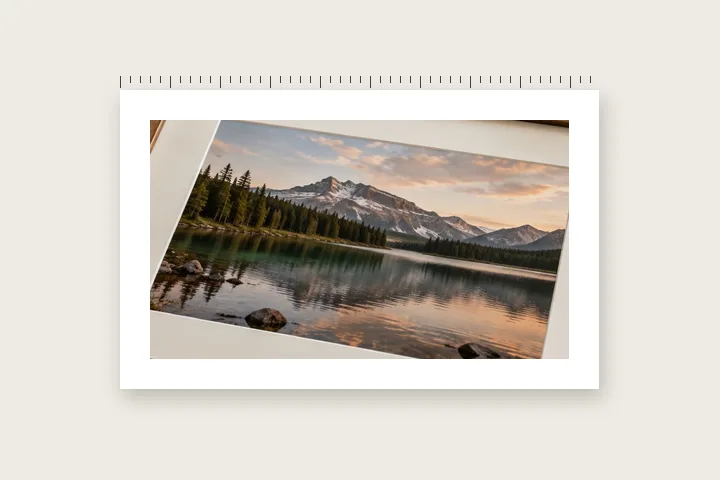
What this page sets up for you
Millimetres first, and the resolution they are measured against on show. A physical width with no density behind it is not a measurement.
Units open on millimetres. If the file declares no resolution the width fields stay inactive until the field above them has a figure in it.
A camera JPEG usually declares a resolution in its header. The rail will say which block it came from.
Why a millimetre needs a second number
A file holds a grid of pixels. Paper holds ink over a distance. Nothing in the grid says how far apart its cells are meant to sit when they reach the sheet, so the two are connected by a third quantity — a resolution, in dots per inch — and without it a width in millimetres cannot be resolved into anything at all.
Files often carry a figure for that resolution. A JPEG can hold one in its JFIF density block and another in its Exif resolution tags; a PNG can hold one in a pHYs chunk, recorded in pixels per metre. This page reads whichever it finds, names the block it came from, and lets the number be overridden, because the figure in a file is a statement by whatever wrote it and not a property of the photograph.
When a file declares nothing, the field reads unset and the millimetre entry stays inactive. That is deliberate and it is the whole contract of this route: an assumed 72 would silently make every margin a quarter of the width it should be, and an assumed 300 would be right often enough to be dangerous.
| Resolution | 10 mm is | Rounds back to |
|---|---|---|
| 72 DPI | 28 px | 9.88 mm |
| 150 DPI | 59 px | 9.99 mm |
| 240 DPI | 94 px | 9.95 mm |
| 300 DPI | 118 px | 9.99 mm |
Grow, and why it is the default here
Grow adds the margin outside the photograph. The image area keeps every pixel it arrived with and the sheet gets larger, which is what a lab expects when it is asked to print a bordered picture: the picture is the thing being reproduced and the border is paper around it. Inset draws the margin inside the original dimensions instead, which is the right answer when a layout has already fixed the file size and the border has to come out of what is there.
One consequence of grow mode is worth naming because it surprises people. The guardrail that decides whether a composite is too large for the browser is evaluated against the output, not the input. A 24-megapixel photograph clears every ceiling comfortably; the same photograph with a 60 mm margin at 300 DPI does not, because the finished canvas is substantially bigger than the picture inside it. The rail shows the output megapixel count as it changes, so the point at which that matters is visible before the export button is pressed.
Two limits worth knowing before you send a file
- No colour profile survives the export. The composite is redrawn and re-encoded, which means the output is sRGB and a wide-gamut original has been converted on the way in. For a lab that works from tagged files and expects Adobe RGB or ProPhoto, that conversion is a real change and this tool is the wrong last step — border the file after the profile conversion your printer asks for, not before it.
- The resolution figure is used to compute margins; it is not written back into the exported file. The saved PNG or JPG carries the pixel dimensions and no density tag of its own, so a lab reading the file cold will apply its own assumption. State the print size in the order instead of relying on metadata to carry it.
Questions about printing
The lab asked for a 3 mm bleed. Is that the same as a 3 mm border?
It is the opposite. A bleed is extra image that runs past the trim line and gets cut away, so the ink reaches the paper edge; a border is space that is meant to survive the trim and be seen. If a lab asks for bleed, the picture needs to be larger than the finished size, not framed within it. This tool adds a visible margin, and a margin narrower than about 4 mm is at real risk from a guillotine's tolerance.
My file declares no resolution at all. What should I put in the field?
Whatever the printer is working at, which is 300 for most photographic labs and 240 for many book printers. The field is deliberately empty rather than pre-filled, because a default would look like a reading taken from the file when it is nothing of the kind. Once a number is in, every millimetre figure on the page recomputes against it and the pixel equivalent is shown beside it.
Why does the tool print the pixel width next to the millimetre width?
Because the pixel width is the one that is actually written to the file, and it is a whole number. A 7 mm margin at 300 DPI is 82.68 pixels, which becomes 83, which is 7.03 mm back again. Rounding to the nearest whole pixel is unavoidable, and printing the figure the file will really carry is more useful than echoing your request at you.
Should the bottom edge be wider than the others on a print?
On anything that will be framed or mounted, usually yes. The convention runs from about 1.1 to 1.3 times the side margins, and the reason is optical rather than arbitrary: a picture with four equal margins reads as sitting low in its frame, because the eye places the visual centre above the geometric one. The weighting control applies that multiplier to the lower edge alone when the sides are linked.
Does the border change the photograph's print size?
In grow mode it changes the size of the sheet, not the size of the picture. A 4000 by 3000 file with a 10 mm margin at 300 DPI becomes 4236 by 3236 pixels, which at the same 300 DPI measures about 10 mm larger on each axis than it did. The image area is the same number of pixels and the same physical size; there is simply more paper around it. Inset mode is the one that shrinks the picture.
Related openings
- Border Photo Add a border to any photo in px, %, mm or inches, measured and processed on your device.
- Square photo without cropping Bars added until a photograph is square, with nothing cut away.
- Border widths in millimetres Why the same 5 mm is 59 pixels in one file and 14 in another.
- Fitting a photograph to a square Three ways to change a shape, and what each one costs.


