What this page sets up for you
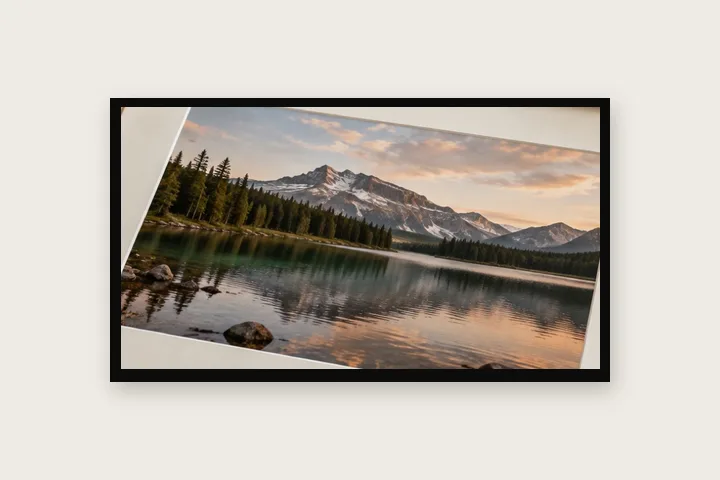
A narrow, slightly uneven black edge inside the frame—the part of a film look that can honestly be expressed as four widths.
The edges are intentionally unlinked and unequal. Their exact percentage values remain visible and editable.
Choose an image whose important detail does not touch the outermost edge; this opening overlays that region.
The construction this opening uses
A scanned negative often carries a dark, imperfect perimeter. The honest numeric approximation is not a packet of fake frame numbers but four slim widths that differ slightly. This route opens with independent percentages so the asymmetry survives different image sizes without pretending to reproduce a particular camera gate.
On a 4000-pixel long edge, the starting values span 44 to 64 pixels. Because the operation is inset, the file remains 4000 pixels across and the black region covers those edge pixels. The readout makes that trade explicit before export.
Where the treatment stops working
The character of real film lives in more than a black edge: emulsion grain, development, scanner light, rebate markings and the exact gate shape all matter. A plain inset frame should be used as restraint, not presented as a faithful simulation of a named stock or camera.
The opening values are a starting construction, not a filter baked into the page. Every width, colour, unit and mode remains editable after the photograph opens, and the output readout states the dimensions before export. That makes the result reproducible instead of leaving its proportions hidden inside a decorative preset.
Questions
Does this add sprocket holes or frame numbers?
No. Those are drawn content and belong to a specific film format. This route creates only the irregular dark edge that can be described by four measured widths.
Why is inset mode used?
Inset mode keeps the exported width and height unchanged by drawing the border over the outermost pixels. Grow mode would add a new black canvas around them.
Will it hide part of the photograph?
Yes, deliberately and visibly. The starting widths cover roughly one to two per cent at the edges. Switch to grow mode if every original edge pixel must remain visible.
Same studio, other openings
- Polaroid frame A clean white frame with a measured writing margin below.
- Photo mat border A gallery surround measured in millimetres against print resolution.
- Border Photo Add a border to any photo in px, %, mm or inches, measured and processed on your device.
- Plain or decorative Where measured space stops and pattern begins.


