What this page sets up for you
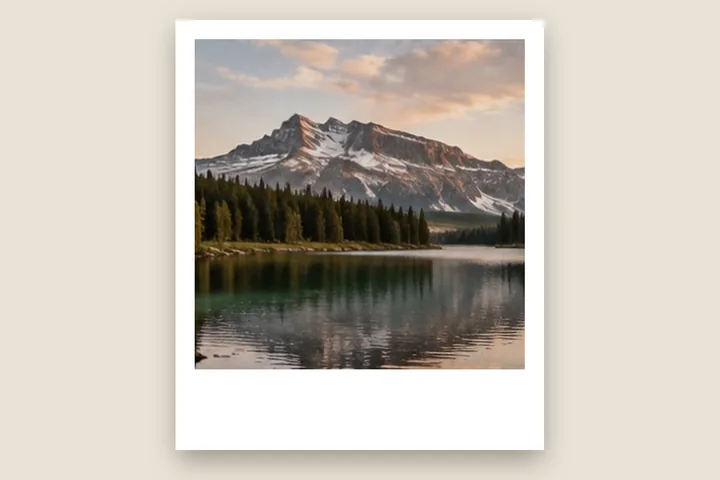
A clean white frame with a larger writing margin below, built from visible measurements rather than a decorative overlay.
The side width opens at four per cent of the photograph's long edge; the lower edge is weighted to 1.8 times that figure.
Portraits and square photographs leave the most convincing writing area, but no orientation is forced.
The construction this opening uses
An instant-photo silhouette is a proportion problem before it is a styling problem. The side and upper margins need to read as one even frame, while the lower edge needs enough mass to form a base. This opening links the four edges, then applies a 1.8 lower-edge weight so one width control preserves that relationship.
Percentage units make the treatment scale with the photograph instead of becoming visibly thin on a large file or clumsy on a small one. At four per cent, a 3000-pixel long edge begins with 120-pixel side margins; the lower edge begins at 216 pixels.
Where the treatment stops working
A plain digital border cannot reproduce paper grain, chemical colour shifts or a film rebate. Adding those here would turn a measured border into an illustration; the studio's drop shadow is a number-driven lift, not a photographed print. This route is strongest when the clean silhouette is the intention and weakest when the desired result is a photorealistic print lying on a table.
The opening values are a starting construction, not a filter baked into the page. Every width, colour, unit and mode remains editable after the photograph opens, and the output readout states the dimensions before export. That makes the result reproducible instead of leaving its proportions hidden inside a decorative preset.
Questions
Is this an authentic instant-film frame?
It is a measured digital construction inspired by the familiar shape: narrow white edges and a lower writing area. It does not copy a branded film stock, rebate or print texture.
Why is the lower edge larger?
The lower margin creates the visual base and the area historically used for a note. Here it begins at 1.8 times the other edges and can be changed independently.
Does the photograph get cropped?
No. Grow mode adds pixels outside the existing frame. The photograph keeps its complete pixel grid and the exported canvas becomes larger.
Same studio, other openings
- Photo mat border A gallery surround measured in millimetres against print resolution.
- Film border A narrow uneven black inset, without a fake stock rebate.
- Print border in millimetres Millimetres first, with the resolution they are measured against on show.
- Plain or decorative Where measured space stops and pattern begins.


