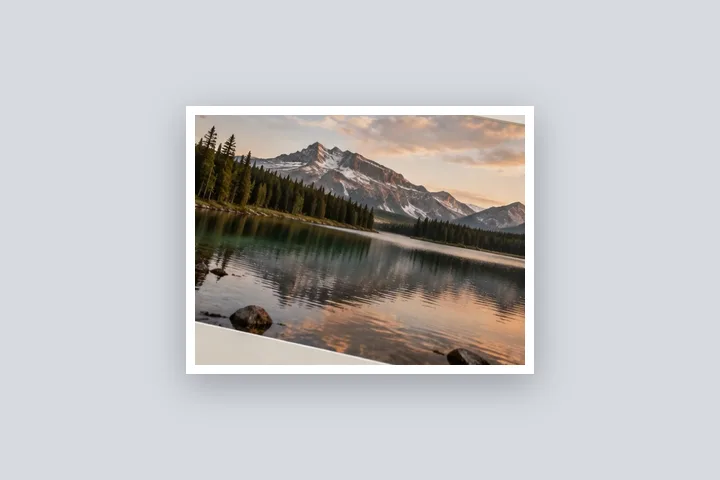

What this page sets up for you
A white outline around the photo's edge on a transparent margin — or, with the optional local model, around the person in it.
Opens with a 1.2 % white outline outside the photo's edge on a transparent 4 % margin. The person outline is under Mat → Subject outline; it needs a one-time model download.
Any photo. For the person outline, a photo with one clearly visible person works best.
The construction this opening uses
An outline separates a picture from whatever it is placed on. The deterministic version is a stroke on the photo's own rectangle, measured like every other width on this site; this opening draws it 1.2 % of the long edge wide, white, outside the edge, on a transparent margin with a faint shadow so it shows on light and dark backgrounds alike. The person outline goes one step further: a small model finds the person on this device, and the stroke follows their edge instead.
On a 4000 × 3000 photo the outline is 48 px wide and the margin 160 px; the PNG is 4320 × 3320. The person model reads a 192 × 192 copy of the photo, so its edge is a smoothed estimate rather than a hair-accurate cut; at phone-screen sizes it reads cleanly, on a large print the edge is visibly soft.
| Photo | Outline | Saved PNG |
|---|---|---|
| 4000 × 3000 | 48 px | 4320 × 3320 |
| 1080 × 1350 | 16 px | 1188 × 1458 |
Where the treatment stops working
The person outline is only as good as the mask: hair, hands and anything the model misreads end up inside or outside the line, and the mask cannot be brushed by hand on this page yet. It is tuned for people; for objects use the rectangle outline. And a white outline on a white page is invisible — the shadow is there for that reason.
- The person outline needs a one-time download (about 5.9 MB model plus 13.4 MB runtime) and runs on this device.
- The mask cannot be corrected by hand yet; if it is wrong, use the rectangle outline.
- JPG cannot keep the transparent background.
The opening values are a starting construction, not a filter baked into the page. Every width, colour, unit and mode remains editable after the photograph opens, and the output readout states the dimensions before export. That makes the result reproducible instead of leaving its proportions hidden inside a decorative preset.
Questions
How do I make a sticker with a white outline?
Open the photo, go to Mat and press Download and find the person under Subject outline. The person is cut out with a white outline around them; with Fill set to None (this page's starting fill) a PNG export has a transparent background, ready to use as a sticker.
Why does the outline need a download?
Finding the edge of a person is done by a small model, about 5.9 MB, that runs in your browser. It downloads once from our model file server, together with the 13.4 MB runtime from this site, and is then kept in your browser's cache. Your photo is never sent anywhere to do it. Without the model the rectangle outline works as always.
Does the subject outline work on objects or pets?
It is tuned for people. On an object or an animal it may find nothing or only part of it; the page says when the result looks weak and suggests the rectangle outline, which follows the photo's own edge instead.
Can I change the outline's width and colour?
Yes, both, for the rectangle outline and the subject outline: width in px, %, mm or inches, any colour, and for the rectangle a dashed line and inside, centred or outside placement.
Is the transparent background kept in JPG?
No. JPG has no transparency and writes it as white. Save as PNG or WebP to keep it.
Same studio, other openings
- Add a shadow to a photo A drop shadow cast onto the border, every length a number.
- Round the corners of a photo Photo and canvas radii set separately, transparent outside in PNG.
- WhatsApp DP without cropping The full photo in a 640 × 640 square, with the round crop shown.
- Add a white border to a photo Pure or paper white, even or weighted, with the saved file checked for banding.
- Border Photo Add a border to any photo in px, %, mm or inches, measured and processed on your device.


