What this page sets up for you
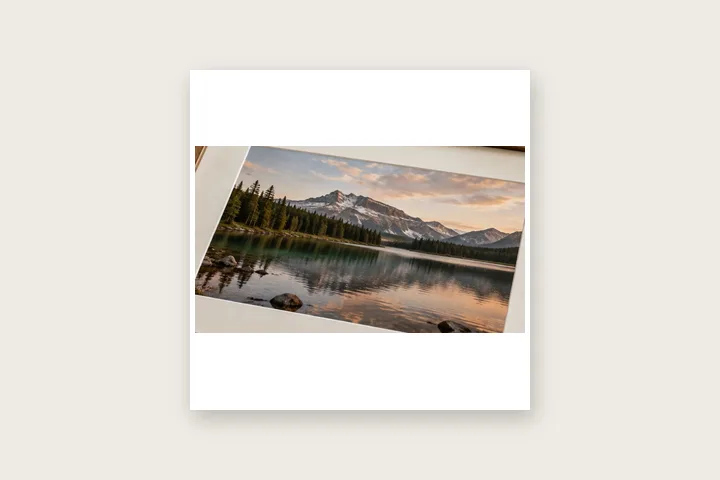
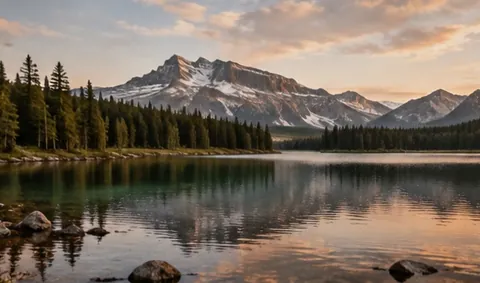
A photograph padded out to a square, with nothing cropped and nothing stretched. The bars are inert colour; the picture is untouched.
This opens on a 1:1 target with a white fill. Keys 1 to 6 move between the six proportions once a photograph is loaded.
A 4:5 or 3:2 photograph is the usual input here. Both keep every pixel they arrive with.
What padding does to a shape
A photograph has a proportion, a destination has a different one, and there are exactly three ways to close that gap. You can cut the picture down until it matches, which loses the edges of the composition. You can stretch it, which distorts every face and line in it and is almost never what anyone means. Or you can leave it alone and add area around it until the frame matches — which costs nothing except that the added area is empty.
This route does the third. It computes the smallest frame of the chosen proportion that contains the photograph at its own pixel size, centres the picture in it to a whole pixel, and fills what remains. The grid that came in is copied through untouched. The readout above the canvas shows both figures so the operation is checkable: input dimensions, output dimensions, and the bar width on each axis.
| Target | Output | Bars |
|---|---|---|
| 1:1 | 4000 × 4000 | 500 px top and bottom |
| 4:5 | 4000 × 5000 | 1000 px top and bottom |
| 9:16 | 4000 × 7111 | 2056 px top and bottom |
| 3:2 | 4500 × 3000 | 250 px left and right |
| 16:9 | 5333 × 3000 | 667 px left and right |
| 2.39:1 | 7170 × 3000 | 1585 px left and right |
Choosing what goes in the gap
Three fills are available and they answer three different questions. A solid colour — white and black are one click, anything else comes from the picker or a hex field — says the bars are a frame and should be read as one. The sampled edge averages the outer eight pixels of the photograph and uses that, which makes the bars read as a continuation of the picture rather than a border around it; it works beautifully on a plain sky and poorly on a busy edge.
Transparent leaves the region empty, with an alpha of zero, and hands the decision to whatever the file is eventually placed on. That only survives in a format with an alpha channel, so it needs a PNG export; asking for JPG with a transparent fill writes the bars as white, and the rail says so before the export rather than after it.
What this route cannot give you
- The bars hold no information. A 4:5 photograph padded to 1:1 has the same amount of picture in it as it did before, spread across a larger canvas — so the file is bigger, the picture is not, and anything that later measures the result as a square is measuring the padding as much as the photograph.
- Fitting a photograph to a proportion is not the same as filling it. If the destination expects the frame edge-to-edge, padding will read as a deliberate border, because that is what it is. Cropping is the operation that fills a frame, and this site does not crop: nothing here removes a pixel from the picture.
Questions about fitting
Why does a landscape photograph get its bars above and below, and a portrait one at the sides?
The frame grows on whichever axis falls short of the target. A 3:2 landscape picture is already wider than it is tall, so to reach a square it is the height that has to come up, and the added area appears above and below. A 4:5 portrait picture is taller than it is wide, so the width is what falls short and the bars go to the left and right. Neither case moves the photograph off centre; both centre it to a whole pixel.
Is there any difference between doing this and putting the photograph on a white canvas by hand?
Only in the arithmetic and the rounding. The result is the same kind of file: an original grid of pixels, unaltered, surrounded by a region of one flat colour. What the tool contributes is computing the smallest frame of the exact target proportion that will hold the picture, centring to a whole pixel, and reporting the bar widths so you can check them rather than trusting them.
Can I have a margin as well as the bars, so the picture does not touch the frame edge?
Set a minimum margin and it is applied to the photograph first, before the frame is grown to the target proportion. That makes the number a floor on all four sides: the two long edges get exactly that margin and the two short ones get that margin plus whatever the ratio demands. The output proportion stays exact either way.
Which fill disappears most convincingly against a feed?
None of them reliably, because the surface behind the picture is not yours to control and it changes with the viewer's theme. White is the conventional answer and reads as deliberate. Sampled edge — the average of the outer eight pixels — reads as an extension of the photograph rather than a frame around it, which suits a picture with a flat sky or a plain background. Transparent, exported as PNG, defers the decision to whatever the file is placed on.
Does the story ratio here match what a phone screen actually shows?
9:16 is the proportion of the frame, not a guarantee about what stays visible. Most full-screen surfaces overlay controls at the top and bottom, so a picture padded to 9:16 has its extremes covered by interface rather than cropped. If the subject sits near an edge, a minimum margin is the cheap insurance.
Related openings
- Border Photo Add a border to any photo in px, %, mm or inches, measured and processed on your device.
- Print border in millimetres Millimetres first, with the resolution they are measured against on show.
- Fitting a photograph to a square Three ways to change a shape, and what each one costs.
- Plain or decorative Where measured space stops and pattern begins.


