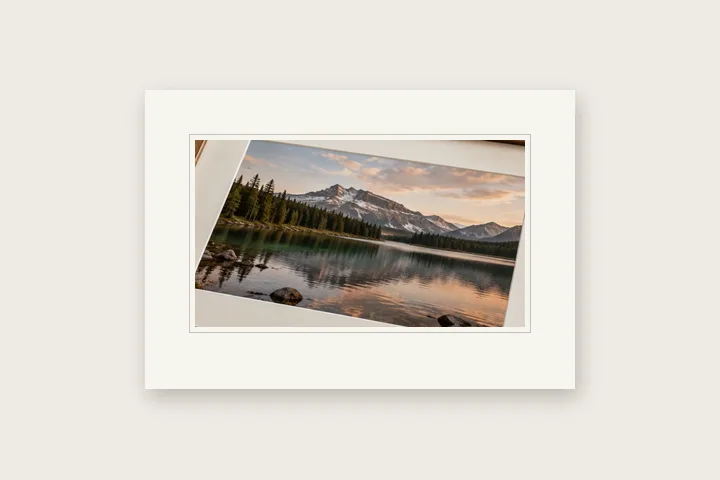

What this page sets up for you
A print-minded off-white surround in millimetres, with a quiet lower weight and the resolution contract left in view.
This begins at 18 mm and 300 DPI. Change the resolution first if the file's intended print resolution is different.
Use the final print-sized file when possible; mat width is calculated against the resolution you confirm.
Mat opening calculator
For a physical mat: give the frame size and the print size, and the overlap that holds the print behind the board. Out come the opening and the four border widths, with a diagram you can save.
- Opening
- 10.75 in × 13.75 in
- Left and right
- 2.625 in
- Top
- 2.976 in
- Bottom
- 3.274 in
The construction this opening uses
A gallery mat is negative space with a physical dimension. It separates the picture from the frame, gives the eye somewhere to settle, and prevents a dark edge from feeling trapped. This opening uses 18 mm on three sides and a small optical weight below rather than treating the surround as an arbitrary pixel count.
At 300 DPI, 18 mm resolves to about 213 pixels and the 1.12 lower weight to about 239 pixels. At 150 DPI those pixel counts halve while the intended printed width stays the same. The interface prints both units so a missing or incorrect DPI declaration cannot quietly change the job.
Where the treatment stops working
This produces the digital equivalent of the visible mat area only. It cannot predict how much board a physical frame rebate hides, simulate bevel depth or guarantee a printer's trimming tolerance. Leave additional bleed in the print workflow when a lab asks for it.
The opening values are a starting construction, not a filter baked into the page. Every width, colour, unit and mode remains editable after the photograph opens, and the output readout states the dimensions before export. That makes the result reproducible instead of leaving its proportions hidden inside a decorative preset.
Questions
Why work in millimetres?
A mat is judged after printing, where physical width matters. Millimetres resolve to pixels through the DPI field, so both figures remain visible.
Why is the colour not pure white?
A restrained warm white separates the mat from a white web page and resembles common uncoated mount board without pretending to reproduce its texture.
Can I use equal edges?
Yes. Set the lower-edge weight to one. The slightly larger opening value compensates for the way a perfectly centred picture can look visually low inside a frame.
What size mat opening do I need for an 11 × 14 print in a 16 × 20 frame?
With the usual 1/8 in overlap on each side the opening is 10 3/4 × 13 3/4 in, which leaves 2 5/8 in of mat at each side and 6 1/4 in to share between top and bottom. The calculator on this page splits that with a slightly heavier bottom and draws the result, which you can save as an SVG for whoever cuts the mat.
Can I add a double mat?
Yes. In the studio open Mat and turn on Double mat: the inner board shows as a band of its own colour around the photograph, and the border colour is the outer board. A bevel line can be added as a drawn light line.
Same studio, other openings
- Print border in millimetres Millimetres first, with the resolution they are measured against on show.
- Polaroid frame A clean white frame with a measured writing margin below.
- Square photo without cropping Bars added until a photograph is square, with nothing cut away.
- Border widths in millimetres Why the same 5 mm is 59 pixels in one file and 14 in another.


